

title: "How to Set Up a Client Portal That Makes You Look Professional" slug: "set-up-client-portal-professional" excerpt: "Most contractors email PDFs back and forth and hope the client finds them. A client portal gives your clients one place to see estimates, approve work, and pay. Here is how to set one up and why it changes how clients see you." meta_description: "Learn how to set up a contractor client portal that looks professional. Bit & Grain's client portal handles estimates, approvals, and payments in one place." og_title: "How to Set Up a Client Portal That Makes You Look Professional" word_count: 2102 estimated_read_time: 9
How to Set Up a Client Portal That Makes You Look Professional
There is a moment early in every contractor's business where the work is good but the process around the work looks amateur. You send a PDF estimate. The client has questions. They text you. You text back. The estimate gets revised. You send another PDF. They say yes by text. You have no written approval. You do the work. You send an invoice by email. They ask for the original estimate to compare. You dig it out and send it again.
The work is fine. The process looks like you are figuring it out as you go.
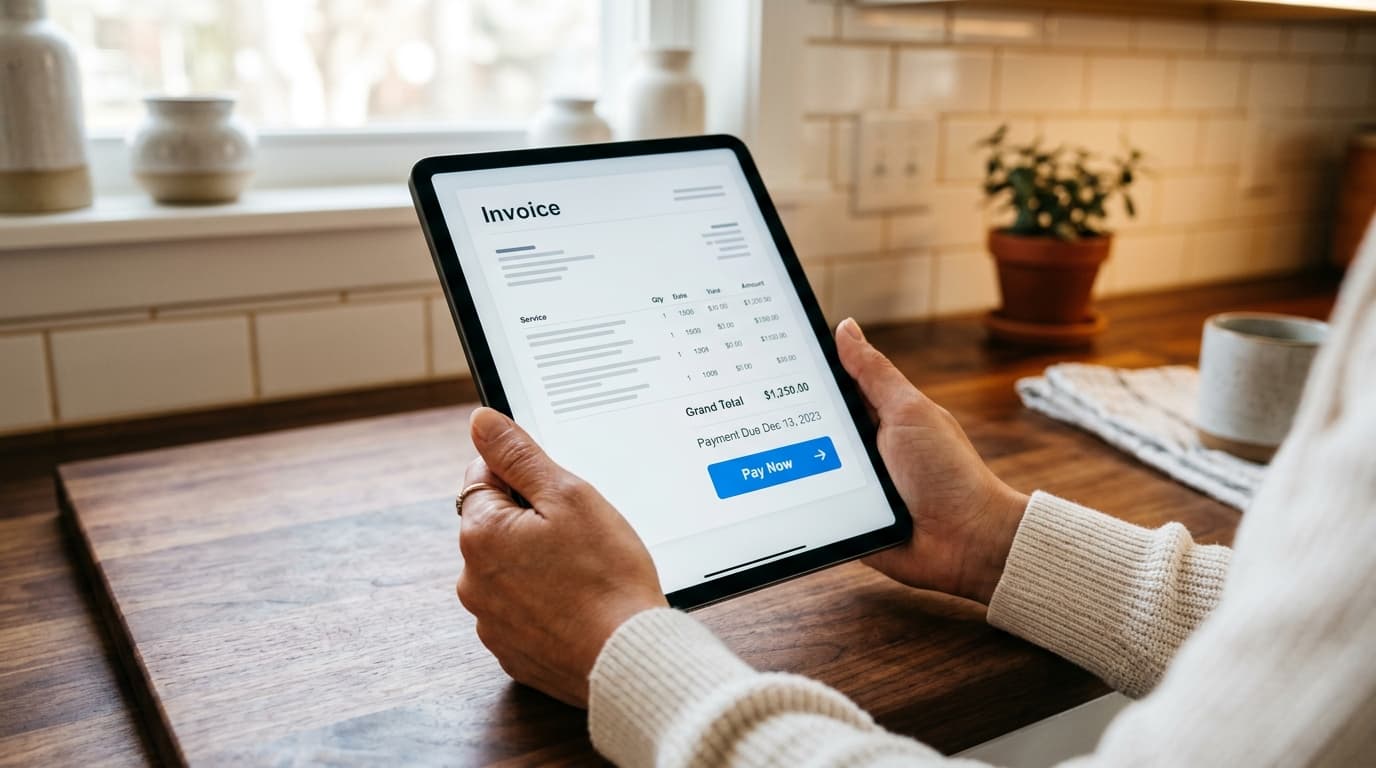
A client portal fixes this. It gives your client one URL where all of it lives: the estimate, the revision, the approval, the job updates, the invoice, and the payment. On their side, it looks organized and professional. On your side, it is just how your software works.
Businesses that improve the client experience can see revenue rise by up to 10 to 15 percent, according to client portal industry research from LLCBuddy. And 90% of small business leaders report improved productivity and company revenue from using newer technology platforms, per Salesforce's Small & Medium Business Trends Report. The client portal is one of the highest-leverage places to make that improvement for a contractor.
Here is how to set one up, what it should include, and what separates a professional portal from one that creates more friction than it removes.
What a Contractor Client Portal Actually Needs to Do
A client portal for a contractor is not a complex software product. It is a focused communication and document hub. It needs to do five things well:
- Show the client their estimate, clearly formatted with line items
- Let the client approve (or request changes) without a phone call
- Show job status and any updates you add during the work
- Show the invoice when the job is done
- Accept payment (or at least document payment)
If a portal does those five things cleanly, it does the job. Anything beyond that is a bonus.
What a portal does not need: a login with password requirements the client will forget, an app they need to download, a complex dashboard that requires a tutorial. The simpler the client experience, the more they will actually use it.
Step 1: Get a Platform with a Client Portal Built In
The first mistake contractors make when setting up a client portal is building one from scratch. Notion pages, Google Drive folders, HoneyBook forms: these can technically work, but they require maintenance, do not connect to your estimates or invoices, and look like a contractor cobbled something together in a weekend.
A field service management platform with a client portal included gives you a ready-made experience that stays in sync with your job data. When you update an estimate, the client sees the updated estimate. When you mark a job complete, the invoice appears. Nothing needs to be manually copied between systems.
For general contracting and trade work, Bit & Grain's client portal is the kind of purpose-built option that makes setup a matter of hours, not days.
Step 2: Connect Your Business Identity
Before you send a client their first portal link, make sure the portal reflects your business identity: your business name, logo, and contact information should be visible. A generic portal link that shows software branding instead of your business name undermines the professionalism you are building.
Bit & Grain's setup ties your business website and branding directly to the client portal. The same brand that appears on your public website appears in the client's portal. It looks like your software, not someone else's.
This matters more than most contractors expect. Clients who receive a professional-looking portal link from you immediately recalibrate their expectation of your business. It signals process and reliability before the job starts.
Step 3: Send the Estimate Through the Portal, Not by Email
This is the most important behavior change. When an estimate is ready, send it through the portal link, not as a PDF attachment to an email.
The client gets a link. They open it in any browser on any device. The estimate is formatted cleanly with your business name, their name, the job address, and itemized line items. At the bottom, there is an Approve button.
When they click Approve, you get a notification. The approval is logged with a timestamp. You have a record that the client approved this scope at this price on this date. That is not something a text message "sounds good" gives you.
If the client has questions, they can reply through the portal. The conversation stays in one place, attached to that job. When there is a dispute later (and sometimes there is), you have the full communication history tied to the specific estimate version.
Step 4: Add Job Updates During the Work
One of the most underused functions of a client portal is the update feed. Most clients do not need daily updates. They need to know the job is progressing and that surprises will not arrive silently.
A brief note posted mid-project: "Framing complete, moving to rough-in tomorrow" takes 30 seconds. The client sees it in their portal. They do not call you to check status. They do not worry that the job has gone quiet.
That single habit, posting one or two updates during a job, reduces check-in calls significantly. Clients who can see that things are moving do not need to ask. And clients who do not feel like they need to ask are less anxious, easier to work with, and more likely to refer you.
Step 5: Close with a Professional Invoice
When the job is done, the invoice should appear in the same portal where the estimate lived. The client does not have to ask for it. They open the portal, see the completed job, and see the invoice.
The invoice should reference the approved estimate. If the final price matches the estimate, that is straightforward. If there were change orders (scope additions, material price changes), they should show as separate line items so the client can see exactly what changed from the original approval.
A client portal that shows the full job history: estimate, approval, updates, change orders, and final invoice in one view gives the client confidence that they are being charged fairly. That confidence reduces payment friction.
What Makes a Client Portal Look Professional vs. Amateur
The difference between a professional client portal and an amateur one is not the technology. It is the consistency.
Professional:
- Every client gets a portal link when their estimate is ready (not some clients, not when you remember)
- The portal has your business name and logo (not generic software branding)
- The estimate is formatted cleanly with itemized line items (not a lump sum with no detail)
- The client can approve from any device without creating an account
- Updates appear during the job, not silence until the invoice
- The invoice shows up automatically when the job closes
Amateur (even when using a portal tool):
- The portal link arrives after a PDF was already sent
- The estimate says "Labor: $2,400" with no breakdown
- The portal requires the client to create a login with a password
- Nothing appears in the portal after the estimate
- The invoice arrives by separate email two weeks after the job
The consistency matters more than the platform. A simple portal used correctly looks more professional than an expensive portal used inconsistently.
Client Portal Adoption: What to Expect
When you switch from emailing PDFs to sending portal links, expect a short adjustment period from existing clients. Some clients are comfortable with email and will need one clarification of the new process. Most adapt quickly once they see the portal is simpler than email chains.
New clients have no reference point. They get the portal link as their first interaction with your business. It sets the tone from the start.
About 61% of customers prefer self-service for simple interactions like viewing documents, approving work, or checking status, according to customer experience research from Hiver. A client portal addresses this preference directly. Instead of calling you to ask "did you get my approval?", they can log in and see the approval was recorded.
The flip side: 77% of customers find a poor self-service experience (confusing, slow, requires too many steps) worse than no self-service at all. That is the warning against over-building. A portal with too many fields, too many steps, or a required account creation will see poor adoption. Keep it simple.
How Bit & Grain Helps
Bit & Grain's client portal is built into every account at the base $29/month price. There is no portal add-on.
What the portal includes for your clients:
- A clean, mobile-friendly view of their estimate with line items
- One-click approval without creating an account
- Job status updates you post during the project
- Invoice and payment access when the job closes
- Full job history in one URL
For you:
- Approval logged with timestamp
- All client communication attached to the job
- Job status visible without phone calls
- Consistent professional experience across every client
The portal connects directly to the estimates and invoices you create in Bit & Grain. When you update an estimate, the client sees the update. When you close the job, the invoice appears. No manual file management.
For general contractors who run multiple concurrent jobs, the portal is especially valuable because the client communication stays organized by job. There is no cross-contamination between job threads in your email inbox.
The business website feature lets you present a consistent brand from your public website through to the client portal. Your business looks the same whether a new prospect is discovering you on Google or an existing client is approving a change order.
The Short Version
A client portal is not a complex project. It is one URL per client that shows their job history. The setup is an afternoon. The benefit is every job, with every client, from that point forward.
Set up the portal. Send every estimate through it. Post one update mid-job. Let the invoice close the job automatically. That is the entire workflow. Your clients see an organized contractor who has their act together. That impression has value beyond the individual job.
The contractor client portal is one of the fastest ways to look more professional without spending more time. It replaces email PDF chains with something that works better, takes less of your time, and gives clients what they actually want: visibility without phone calls.
Bit & Grain includes a client portal, business website, AI, and full field service management at $29/month flat.